
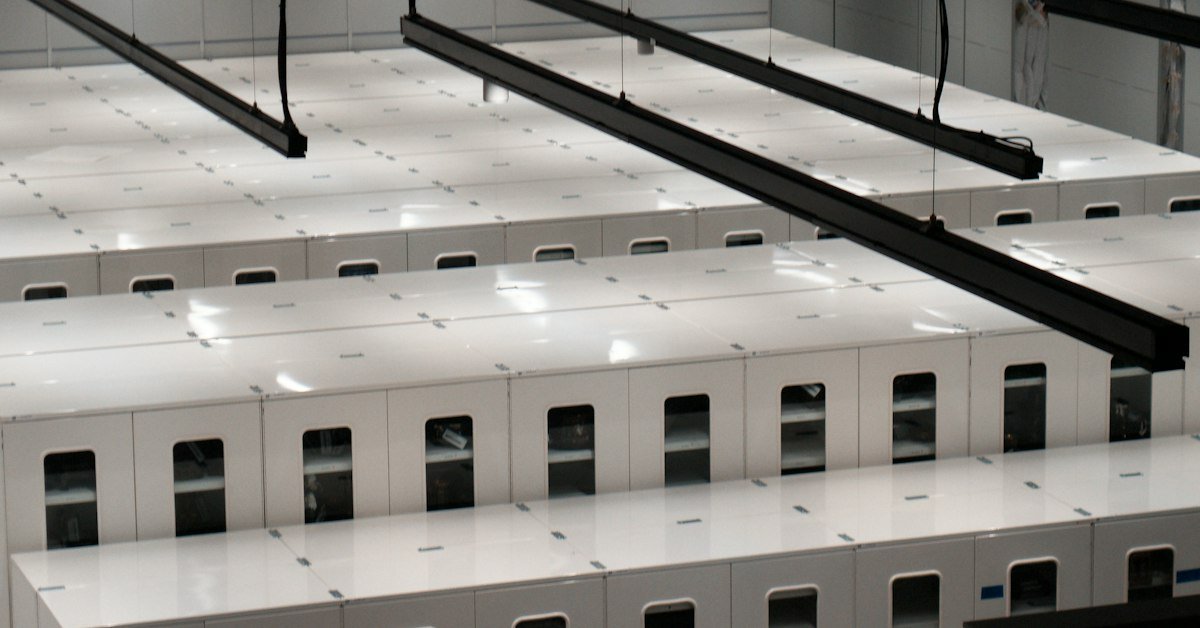
Best Cloud GPU Providers for AI Training and Inference, Compared
Renting GPUs in the cloud is often the fastest way for a Singapore team to train, fine-tune or serve an AI model without buying hardware. You pay by the hour (or second), scale up for a training run, and shut everything down when the job ends.
The best cloud GPU providers fall into two groups. Specialist GPU clouds such as Lambda, RunPod, CoreWeave and Vultr usually publish lower per-GPU prices and focus on AI. Hyperscalers such as Google Cloud, AWS and Microsoft Azure cost more per GPU-hour but bring managed services, enterprise contracts and local Singapore regions that help with data residency.
Below we compare eight providers using prices published on their official pages, then explain how to choose. All prices are in US dollars, exclude GST and change often, so treat them as a starting point and check the provider’s page before you commit.
At a glance
| # | Name | Best for | Key spec/feature | Price from |
|---|---|---|---|---|
| 1 | Lambda | Simple, self-serve training instances | HGX B200, H100 and A100 instances; 1-Click Clusters | US$0.79/GPU/hr (V100 16 GB) |
| 2 | RunPod | Low-cost experiments and serverless inference | Per-second billing; 30+ regions; Pods, Serverless and Clusters | US$0.27/hr (RTX A5000) |
| 3 | CoreWeave | Large-scale training clusters | GB200/GB300 NVL72, HGX B200/H100/H200; free egress | US$6.50/hr (1x GH200 instance) |
| 4 | DigitalOcean | Developer-friendly GPU Droplets | NVIDIA and AMD Instinct GPUs; per-second billing | US$0.76/GPU/hr (RTX 4000 Ada) |
| 5 | Vultr | Wide GPU range with a Singapore region | A16 to GB300; AMD MI300X/MI325X/MI355X | US$0.471/hr (1x A16) |
| 6 | Google Cloud | Managed AI stack and Singapore region | G2 (L4), G4 (RTX PRO 6000), A3/A4 (H100, H200, B200) | US$0.71/hr (g2-standard-4, 1x L4) |
| 7 | Amazon Web Services (AWS) | Teams already on AWS | G6 instances with NVIDIA L4, fractional GPU sizes | Not published on the instance page; check the AWS calculator |
| 8 | Microsoft Azure | Microsoft-centric enterprises | NCads H100 v5 (H100 NVL 94 GB) and ND H100 v5 (8x H100) | Not published on the series page; check the Azure calculator |
1. Lambda
Lambda is a GPU cloud built for AI work. You can launch single GPU instances on a self-serve, first-come basis, or book 1-Click Clusters of 16 to 2,000+ NVIDIA B200 or H100 GPUs for two weeks to a year. Lambda says it charges no egress fees, which helps when you move large datasets and checkpoints in and out.
It suits ML engineers and start-ups who want a plain Linux GPU box with a preinstalled deep learning stack (Lambda Stack) and clear hourly pricing.
- Pros: clear per-GPU pricing; B200 and H100 available on demand; no egress fees.
- Cons: on-demand capacity can run out at busy times; fewer managed services than a hyperscaler; no Singapore region listed on the pricing page.
- Key specs/features: HGX B200 (180 GB VRAM per GPU) at US$7.69/GPU/hr; HGX H100 (80 GB) at US$4.59/GPU/hr; A100 80 GB at US$3.19/GPU/hr; A100 40 GB at US$1.99/GPU/hr; B200 clusters from US$8.87/GPU/hr at 256+ GPUs.
- Price from: US$0.79/GPU/hr (Tesla V100 16 GB), plus applicable tax.
- Website: lambda.com
2. RunPod
RunPod offers three ways to rent GPUs: Pods (dedicated GPU instances), Serverless (inference endpoints billed only while workers run) and Clusters (multi-node jobs up to 64 GPUs with no commitment). Billing is per second, and the range runs from older RTX cards to B300.
It suits solo developers, small AI teams and agencies who want to test models cheaply, run image or LLM inference behind an API, or burst to a few high-end GPUs for a short fine-tune.
- Pros: very low entry prices; per-second billing; serverless option for spiky inference traffic.
- Cons: Community Cloud capacity is cheaper but less controlled than Secure Cloud; check region and data-handling terms before you process personal data.
- Key specs/features: H100 PCIe US$2.89/hr (Secure Cloud) or from US$1.99/hr (Community Cloud); H100 SXM US$4.39/hr; H200 US$5.29/hr; B200 US$7.99/hr; L40S US$1.09/hr; RTX 4090 US$0.89/hr; network storage from US$0.05/GB/month.
- Price from: US$0.27/hr (RTX A5000, 24 GB).
- Website: runpod.io
3. CoreWeave
CoreWeave is an AI cloud aimed at large training and inference workloads. Its on-demand instances are mostly eight-GPU nodes, and it offers rack-scale NVIDIA GB200 and GB300 NVL72 systems, managed Kubernetes (CKS) and Slurm on Kubernetes (SUNK). Data transfer to the internet and egress are listed as free.
It suits funded AI companies and research teams that need many GPUs linked by fast networking. For a small business running one model, it is usually more than you need.
- Pros: latest NVIDIA hardware at cluster scale; free egress and internal data transfer; reserved capacity discounts of up to 60% (per CoreWeave).
- Cons: pricing is per eight-GPU node, so the entry cost is high; published regions are North America and Europe.
- Key specs/features: 8x HGX H100 (80 GB each) US$49.24/hr; 8x HGX H200 US$50.44/hr; 8x HGX B200 US$68.80/hr; 8x A100 US$21.60/hr; 8x L40S US$18.00/hr; spot pricing on several models.
- Price from: US$6.50/hr (single NVIDIA GH200 instance, 96 GB).
- Website: coreweave.com
4. DigitalOcean
DigitalOcean’s GPU Droplets bring its simple control panel to GPU computing. You can pick one or eight GPUs per Droplet for the high-end models, and choose between NVIDIA and AMD Instinct accelerators. New GPU pricing took effect on 1 August 2026, according to DigitalOcean.
It suits developers and SMEs already hosting apps on DigitalOcean who want GPU inference or fine-tuning in the same account.
- Pros: easy to use; per-second billing (5-minute minimum); AMD options with very large GPU memory; spot and 12-month reserved plans.
- Cons: powered-off GPU Droplets are still billed until destroyed; smaller GPU line-up than specialist clouds.
- Key specs/features: NVIDIA H100 US$4.41/GPU/hr; H200 US$4.47/GPU/hr; L40S and RTX 6000 Ada (48 GB) US$1.57/GPU/hr; AMD MI300X (192 GB) US$2.59/GPU/hr; MI325X (256 GB) US$3.80/GPU/hr.
- Price from: US$0.76/GPU/hr (RTX 4000 Ada, 20 GB).
- Website: digitalocean.com
5. Vultr
Vultr offers one of the widest GPU ranges among independent clouds, from NVIDIA A16 cards for virtual desktops up to HGX B300 and GB300 NVL72 systems, plus AMD Instinct MI300X, MI325X and MI355X. Vultr runs a Singapore region, and in 2024 it announced a partnership with Singtel to offer NVIDIA H100 capacity in that region.
It suits Singapore businesses that want a regional data centre, VDI-style GPU desktops for design teams, or contract pricing on high-end GPUs.
- Pros: broad GPU choice; low-cost A16 for graphics desktops; Singapore location; Kubernetes control plane included at no charge.
- Cons: the lowest H100 and B200 rates are contract prices, not on-demand; AMD on-demand prices are for preemptible instances; check which GPUs are offered in Singapore.
- Key specs/features: L40S (48 GB) US$1.671/GPU/hr on demand; A100 PCIe (80 GB) US$2.397/hr; GH200 US$1.99/GPU/hr; HGX H100 US$1.99/GPU/hr on a 24-month contract; MI300X US$1.85/GPU/hr (preemptible).
- Price from: US$0.471/hr (1x NVIDIA A16, 16 GB).
- Website: vultr.com
6. Google Cloud
Google Cloud’s Compute Engine offers GPU machines from the low-cost G2 series (NVIDIA L4) to A3 and A4 machines with eight H100, H200 or B200 GPUs. It also has a Singapore region (asia-southeast1) and managed AI tools such as Vertex AI and Google Kubernetes Engine.
It suits companies that want inference close to Singapore users, already use Google Workspace or BigQuery, or need enterprise billing, support and compliance documents.
- Pros: Singapore region; Spot VMs with discounts of up to 91% (per Google); Dynamic Workload Scheduler (Flex-start and Calendar mode) for scarce GPUs; one- and three-year commitments.
- Cons: high on-demand prices for top-end GPUs; GPU types vary by zone; pricing has many moving parts.
- Key specs/features: g4-standard-48 (1x RTX PRO 6000, 96 GB) US$4.50/hr; a3-highgpu-8g (8x H100) US$88.49/hr; a4-highgpu-8g (8x B200) DWS Flex-start US$64.44/hr; T4 GPU attachment US$0.35/hr. Prices shown for the default region; Singapore rates may differ.
- Price from: about US$0.71/hr (g2-standard-4 with 1x NVIDIA L4, 24 GB).
- Website: cloud.google.com
7. Amazon Web Services (AWS)
AWS has the largest catalogue of GPU instance types. For inference and graphics, the G6 family uses NVIDIA L4 GPUs (24 GB each, up to eight per instance) and includes fractional sizes as small as one-eighth of a GPU with 3 GB of memory. Larger P-family instances cover heavy training. AWS also runs an Asia Pacific (Singapore) region.
It suits teams whose data, apps and security tooling already live on AWS, so GPUs sit next to S3, SageMaker or Bedrock.
- Pros: huge choice; fractional GPUs for light inference; mature security and compliance tooling; Savings Plans for steady workloads.
- Cons: pricing is complex, and data transfer out to the internet is charged beyond a free monthly allowance; GPU capacity for the newest chips may need reservations.
- Key specs/features: G6 with up to 8x L4, up to 192 vCPUs, up to 100 Gbps networking and up to 7.52 TB local NVMe; per-second billing for Linux on-demand instances.
- Price from: not published on the G6 page; check the AWS Pricing Calculator for your region.
- Website: aws.amazon.com
8. Microsoft Azure
Azure’s NC and ND series cover AI workloads. NCads H100 v5 VMs give you one or two NVIDIA H100 NVL GPUs (94 GB each) for applied AI training and batch inference. ND H100 v5 VMs start at eight H100 GPUs with 400 Gb/s InfiniBand per GPU for large-scale training. Azure also offers Azure Machine Learning and Azure OpenAI in Foundry for teams that prefer managed services.
It suits enterprises on Microsoft 365, Entra ID and Azure contracts that want GPUs inside their existing governance.
- Pros: strong fit with Microsoft identity and security tools; reservations and savings plans; Spot VMs.
- Cons: GPU sizes and prices vary by region; the pricing page needs a region and VM selected before it shows rates.
- Key specs/features: Standard_NC40ads_H100_v5 (40 vCPUs, 320 GiB RAM, 1x H100 NVL 94 GB); Standard_NC80adis_H100_v5 (80 vCPUs, 2x H100 NVL); ND H100 v5 with 8x H100 80 GB and 3.2 Tbps interconnect per VM.
- Price from: not published on the series page; check the Azure Pricing Calculator.
- Website: learn.microsoft.com
Training vs inference: which GPUs do you need?
Training and inference stress GPUs in different ways, so the cheapest choice is rarely the same for both.
- Training and fine-tuning large models need lots of GPU memory and fast links between GPUs. Look at H100, H200, B200 or AMD MI300X-class nodes with NVLink or InfiniBand. Book them for the length of the run, then release them.
- Fine-tuning smaller open models (for example with LoRA) often fits on a single 48 GB to 96 GB card such as an L40S, RTX 6000 Ada or RTX PRO 6000.
- Inference for chatbots, document search or image generation usually runs well on L4, L40S, A10-class or RTX cards. Serverless endpoints (RunPod) or fractional GPUs (AWS G6) avoid paying for idle time.
- Graphics and virtual desktops for design or video teams suit A16 or L4 virtual workstation options rather than data-centre training GPUs.
For a deeper look at sizing VRAM for a model, see our guide to choosing a GPU workstation for AI and machine learning; the same memory rules apply to cloud instances.
Cloud GPUs or your own workstation?
Cloud GPUs win when your workload is bursty, when you need many GPUs for a short time, or when you cannot wait for hardware delivery. Owning hardware often wins when a GPU runs most hours of the day, when data must stay on premises, or when egress fees on large datasets add up.
A simple test: multiply the hourly rate by the hours you expect to use each month, add storage and data transfer, and compare that against the cost of a local machine spread over three years. Many studios and AI teams end up with both, using local systems such as AMD Threadripper workstations for rendering and AI for daily work and the cloud for peaks. Media teams can also read about broadcast workflow computers and media production systems.
How to choose
- Start from the workload, not the GPU name. Write down model size, batch size, training hours and expected inference traffic. That tells you the VRAM, GPU count and billing model (on-demand, spot, serverless or reserved) you need.
- Check where your data will sit. If you process personal data, Singapore’s PDPA requires you to protect it and to ensure comparable protection when you transfer it overseas. Choosing a provider with a Singapore region, or using anonymised data, simplifies this. Read the PDPC’s overview of the PDPA and take advice for your case; rules and guidance can change.
- Compare the full bill. Add storage, egress, public IPs and idle time to the GPU rate. Some providers (Lambda, CoreWeave) list free egress; others charge for data leaving the cloud, and some bill stopped instances.
- Test availability before you depend on it. Popular GPUs sell out. Run a small job first, and consider reserved capacity or a second provider for deadlines.
- Match the support you need. Hyperscalers offer enterprise support, compliance reports and private networking. Specialist clouds are cheaper but often leave more operations work to your team.
For more on tools and platforms, browse our Cloud Computing and AI Tools sections.
Frequently asked questions
What is the cheapest cloud GPU for AI?
Among the providers above, the lowest published hourly rates are RunPod’s RTX A5000 at US$0.27/hr and Vultr’s A16 at US$0.471/hr. These suit small models, testing and light inference. For training large models, compare the cost per finished job rather than the cost per hour, because a faster GPU can be cheaper overall.
Which cloud GPU providers have a Singapore region?
Google Cloud (asia-southeast1), AWS (Asia Pacific Singapore), Microsoft Azure and Vultr all operate in Singapore. Local options such as Singtel’s GPU-as-a-Service and Sustainable Metal Cloud also host GPUs in Singapore. GPU models differ by region, so confirm the exact GPU is offered there before you plan around it.
Is an H100 necessary for fine-tuning an LLM?
Not always. Parameter-efficient methods such as LoRA can fine-tune many open models on a single 48 GB to 96 GB GPU. You need H100-class or newer multi-GPU nodes mainly for full fine-tuning or training of large models.
Are spot or preemptible GPUs safe to use?
They are much cheaper but can be reclaimed at short notice. Use them for jobs that save checkpoints regularly and can restart, not for live customer-facing inference.
Can SMEs get grants for cloud GPU spending?
Support schemes in Singapore change and usually fund specific pre-approved solutions rather than raw cloud usage. Check current programmes on official government sites such as IMDA and Enterprise Singapore, or ask the provider whether any of its packages are supported, before you assume a subsidy.